
A product launch email is your big “ta-da” moment. It tells people that something new has arrived. It builds excitement. It gives readers a reason to click, try, buy, or share.
TLDR: A great product launch email is clear, exciting, and easy to act on. Start with a strong subject line, explain what is new, show why it matters, and end with one clear call to action. Keep the tone human. Make the reader feel like they are getting something special.
Think of your launch email like a party invite. You do not need to explain every tiny detail. You just need to answer a few key questions. What is it? Why should I care? What should I do next?
If your email does that, you are already ahead of most launch emails.
Contents
Start with the Goal
Before you write one word, ask yourself one simple question:
What do I want people to do after reading this email?
Your answer might be:
- Buy the new product.
- Join a waitlist.
- Book a demo.
- Try a free sample.
- Watch a product video.
- Read a launch page.
Pick one main goal. Not five. Not ten. One.
When you try to make readers do too many things, they do nothing. Their brain says, “Nope,” and they leave. So keep the path simple. One email. One message. One action.
Know Who You Are Talking To
A product launch email should feel personal. It should not sound like a robot wearing a business suit.
So think about your reader. Are they busy parents? Tech lovers? Small business owners? Fitness fans? Coffee people? Dog people? People who buy planners and also forget to use them?
Once you know who they are, write like you are talking to one person. Not a crowd. Not “users.” Not “valued customers.” Just one human.
For example, instead of writing:
“Our innovative solution enables productivity enhancement.”
Write:
“Get more done in less time, with fewer clicks.”
See? Much better. Less fog. More sparkle.

Write a Subject Line That Gets Opened
Your subject line is the front door of your email. If it is dull, people will not enter.
The best subject lines are clear and curious. They tell readers something new is happening. They also give them a reason to open.
Here are some simple subject line styles:
- The direct reveal: “Meet our newest product”
- The benefit: “A faster way to plan your week”
- The curiosity hook: “We made something for you”
- The early access angle: “You’re invited to try it first”
- The problem solver: “Tired of messy project handoffs?”
Keep it short. Aim for around 6 to 10 words if you can. Long subject lines can get cut off, especially on phones.
Also, do not shout. Avoid subject lines like:
“BUY NOW!!! AMAZING NEW PRODUCT!!! LIMITED TIME!!!”
That feels like a carnival barker trapped in an inbox. Be excited, but stay classy.
Add a Preheader That Supports the Subject Line
The preheader is the small preview text people see after the subject line. It is tiny, but mighty.
Do not waste it with text like:
“View this email in your browser.”
Use it to add value.
Example:
- Subject: “Meet GlowBottle”
- Preheader: “A smarter water bottle that reminds you to hydrate.”
Now the reader knows what is new and why it might matter.
Open with a Strong First Line
Your first sentence should pull people in. Do not start with a long company history. Nobody opened your email hoping for a museum tour.
Start with the news. Start with the benefit. Start with the reader’s problem.
Here are a few examples:
- “It’s here. Our easiest meal planner ever.”
- “Say goodbye to lost receipts.”
- “Your morning routine just got faster.”
- “We built this for teams who hate messy spreadsheets.”
Short. Clear. Punchy. That is the goal.
Explain What the Product Is
Now tell readers what you launched. Be simple. Pretend you are explaining it to a friend while standing in line for tacos.
Do not write:
“Our platform leverages advanced automation to streamline cross-functional workflows.”
Write:
“It helps your team assign tasks, track progress, and finish projects without endless status meetings.”
That is clear. That is useful. That is taco-line friendly.
Use one or two short paragraphs. You can also use bullet points. Bullets are great because readers scan. They do not always read every word. Shocking, yes. True, also yes.
Show the Big Benefit
Features are what the product has. Benefits are what the reader gets.
Here is the difference:
- Feature: “Includes a 24-hour battery.”
- Benefit: “Use it all day without hunting for a charger.”
- Feature: “Comes with smart templates.”
- Benefit: “Create polished documents in minutes.”
- Feature: “Syncs across devices.”
- Benefit: “Start on your laptop and finish on your phone.”
Your launch email should lead with benefits. Readers care about themselves. That is not rude. That is human.
Ask: How does this product make life better, easier, faster, cheaper, calmer, or more fun?
Then say that.
Use a Simple Email Structure
You do not need a fancy format. A great product launch email can follow this simple structure:
- Headline: Say what is new.
- Opening: Share the main benefit.
- Product intro: Explain what it is.
- Key benefits: List 3 to 5 reasons to care.
- Proof: Add social proof, data, or a short quote.
- Call to action: Tell readers what to do next.
That is it. No need to juggle flaming bowling pins.

Add Proof So People Trust You
People are curious, but they are also cautious. They want to know if your product is worth their time.
Proof helps.
You can include:
- A customer quote.
- A short case study result.
- A number, like “tested by 500 beta users.”
- A media mention.
- A star rating.
- A before-and-after example.
Keep proof short. One strong quote can do more than a giant wall of praise.
Example:
“This cut our weekly planning time in half.”
— Maya, Operations Lead
Nice. Simple. Believable.
Create a Clear Call to Action
Your call to action, or CTA, is the button or link that tells readers what to do.
Make it obvious. Make it action-based. Make it easy.
Good CTA examples:
- Try it free
- Shop the new collection
- Book your demo
- Join the waitlist
- Watch the launch video
- Get early access
Weak CTA examples:
- Submit
- Click here
- Learn more about the thing we mentioned above
Your CTA should match your goal. If the goal is sales, use “Shop now.” If the goal is signups, use “Start your free trial.” If the goal is demos, use “Book a demo.”
Do not make the reader guess. Guessing is bad for clicks.
Make the Email Feel Special
A launch email works better when readers feel included. Make them feel like insiders.
You can say things like:
- “You’re the first to know.”
- “Early access starts today.”
- “We built this with feedback from customers like you.”
- “For launch week only, get 20% off.”
Special does not always mean discount. It may mean early access, bonus content, limited stock, or a personal note from the founder.
The key is to make the reader feel seen. Not like one random name in a huge spreadsheet.
Keep the Design Clean
Your email should be easy to read on a phone. Most people read email while doing something else. They are in line. On a bus. Half-listening in a meeting. Hiding from laundry.
So make your email scannable.
- Use short paragraphs.
- Use bold text for key points.
- Use one main image or product visual.
- Use plenty of white space.
- Use a clear button.
- Do not cram in too many links.
If your email looks like a newspaper from 1897, people will run away.
Use Images with Purpose
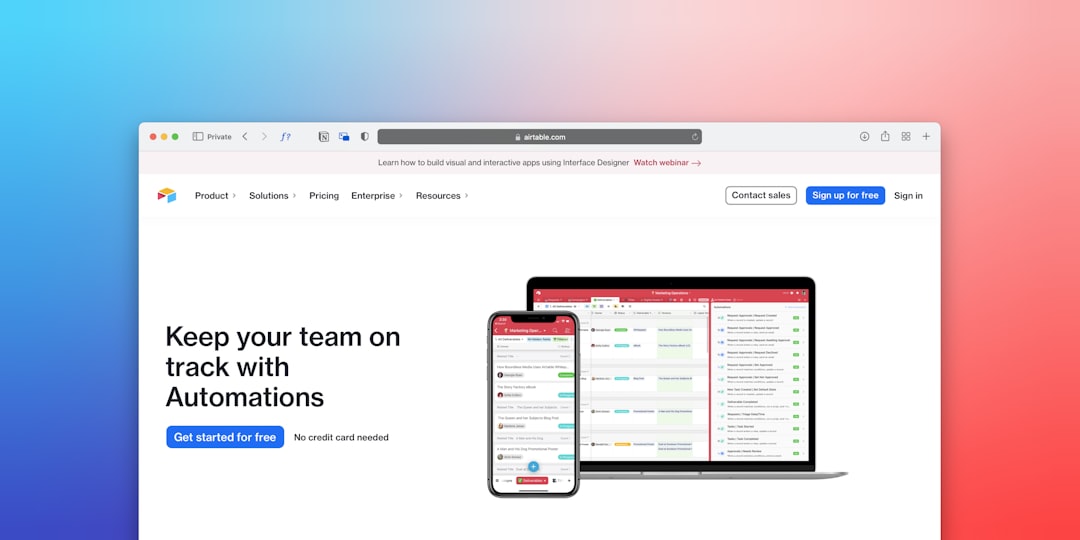
A good image can make your product feel real. It can show the product in use. It can show the result. It can create a mood.
But do not add random images just because they look pretty. Every image should help the reader understand or want the product.
Great image ideas include:
- A clean product photo.
- A screenshot of the new feature.
- A lifestyle image showing the product in use.
- A simple before-and-after visual.
- A short animated preview.
Also, add alt text if you are building the actual email. This helps people using screen readers. It also helps if images do not load.
Use Urgency Carefully
Urgency can help. But fake urgency feels gross.
Good urgency is honest:
- “Launch pricing ends Friday.”
- “Only 200 beta spots are available.”
- “Early access closes tonight.”
Bad urgency is vague and dramatic:
- “Act now or regret it forever!”
- “This changes everything!”
- “The biggest thing in human history!”
Unless your product is a time machine that also folds laundry, maybe do not say that.
Write Like a Human
The best product launch emails sound like they came from a real person. They are warm. Clear. Energetic. Helpful.
Use simple words. Use short sentences. Use contractions if they fit your brand. Say “you” more than “we.”
For example:
“We are thrilled to announce the release of our latest solution.”
That is fine. But it is a little sleepy.
Try:
“It’s here. And we think it will make your workday a lot easier.”
Better. It feels alive.
Test Before You Send
Before you hit send, pause. Take a breath. Do not launch your launch email into the void without checking it.
Review these items:
- Does the subject line make sense?
- Does the email explain what is new?
- Is the main benefit clear?
- Does the CTA work?
- Do all links go to the right place?
- Does it look good on mobile?
- Are there typos?
- Is the offer correct?
Send a test email to yourself. Read it on your phone. Click every link. Pretend you are a distracted reader. If you feel confused, fix it.
A Simple Product Launch Email Template
Here is a quick template you can use:
Subject: Meet [Product Name]
Preheader: A simple way to [main benefit].
Headline: [Product Name] is here
Hi [Name],
We built [Product Name] to help you [solve problem or reach goal].
With [Product Name], you can:
- [Benefit 1]
- [Benefit 2]
- [Benefit 3]
It is made for [audience] who want [desired outcome] without [pain point].
“[Short customer quote or proof point].”
[CTA button: Try it now]
Thanks for being part of the journey.
Final Tips for a Great Launch Email
- Be clear first. Clever is nice, but clear wins.
- Focus on the reader. Show what they get.
- Use one CTA. Make the next step easy.
- Keep it short. Respect the inbox.
- Add energy. This is a launch, not a tax form.
- Check everything. Broken links are tiny disasters.
A product launch email does not need to be fancy. It needs to be useful, exciting, and clear. Tell people what is new. Show why it matters. Invite them to take the next step.
And remember, your product may be the star of the email, but your reader is the hero. Make them feel understood. Make the value obvious. Then give them a big, bright button and let the clicks begin.