
The Ecobee thermostat has become a staple in many smart homes, offering energy efficiency, modern control features, and remote access. But like any electronic device, it can sometimes run into problems. One common issue that users may face is a black screen—a symptom that could indicate anything from a minor glitch to a more critical hardware failure.
TL;DR (Too Long; Didn’t Read):
A black screen on your Ecobee thermostat usually results from power issues, wiring problems, or a malfunctioning furnace. To fix it, check your wiring connections, verify power at the control board, and consider installing a Power Extender Kit (PEK) if necessary. It’s often possible to resolve the issue without replacing the unit.
Contents
Common Causes of a Black Screen on an Ecobee Thermostat
Understanding the possible reasons behind a blank or black screen is crucial. The following are the most frequent causes:
- Power loss: The thermostat may not be receiving sufficient power due to a blown fuse or disconnected wire.
- HVAC system issues: A malfunctioning furnace or air handler can interrupt power supply to the Ecobee.
- Faulty C-wire: A loose or missing common wire (C-wire) can cause the screen to go blank intermittently or permanently.
- Internal failure: While less common, the thermostat itself may be defective or damaged.
Step-by-Step Guide to Fixing the Black Screen
1. Check the Power Supply
The most common culprit is a power issue. The Ecobee requires a constant 24 VAC power supply, typically delivered through the C-wire.
- Start by inspecting your circuit breaker. Ensure that the breaker controlling your HVAC system is switched on.
- If you have access to your furnace or air handler, open the panel and check for any blown fuses.
- Use a multimeter to check if 24 volts are being delivered to the R and C terminals.
If no power is present, your thermostat won’t light up, regardless of how new or advanced it is.
2. Confirm C-wire Connection
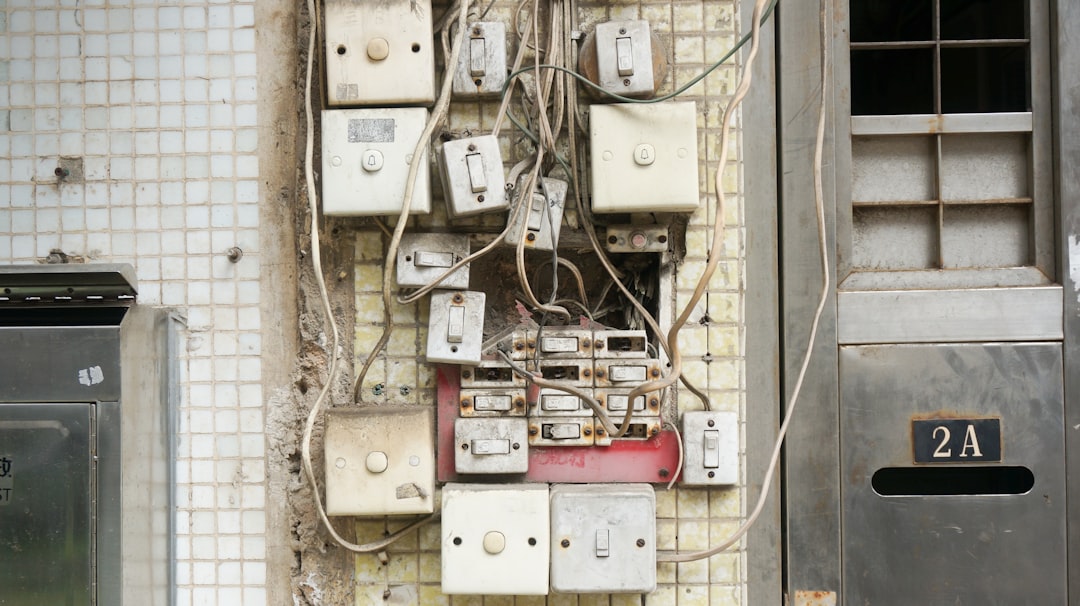
Improper or loose wiring can also lead to power delivery issues. Confirm that the C-wire is correctly connected both at the thermostat and at the control board of your HVAC system.
- Turn off power to the HVAC system at the breaker before handling wires.
- Remove the Ecobee faceplate and inspect the wire connectors.
- Reconnect or tighten any loose wires, paying special attention to the C, R, and Rc/Rh wires.
3. Inspect the Furnace Door Safety Switch
Many HVAC systems include a safety switch that disables power to the furnace (and thus the thermostat) when the furnace door is not properly closed. This is an often-overlooked issue.
- Ensure the furnace door is securely latched.
- Check that any door switches click into place firmly when closed.
4. Test with Another Thermostat
If you’re unable to restore power and the wiring appears correct, try testing your system with another 24V-compatible thermostat. This is a great way to determine whether the problem lies with the Ecobee or the HVAC system itself.
- If the backup thermostat works, your Ecobee may need repair or replacement.
- If it doesn’t, the issue is likely with your power delivery or wiring setup.
5. Use a Power Extender Kit (PEK)
If there’s no C-wire in your existing wiring setup, your Ecobee may have shipped with a Power Extender Kit. This kit can provide the necessary constant power without installing a dedicated C-wire.
- Install the PEK at your HVAC control board following Ecobee’s instructions.
- This often resolves black screen issues caused by insufficient power.
6. Reboot the Ecobee
It’s possible the issue is merely software-related. Restarting your Ecobee can resolve minor glitches.
- Remove the Ecobee from the wall mount and wait 30 seconds.
- Reconnect it to the mount and allow it to reboot.
- If the screen lights up, it was likely a temporary issue.
When to Call a Professional
If you’ve completed the above steps and the screen remains black, it’s time to contact an HVAC technician or Ecobee support. There could be:
- A deep electrical issue in your furnace or air handler.
- A defective main control board or relay.
- An internal fault in the Ecobee device itself.
Professionals have tools and training to identify more sophisticated or hidden problems. In the worst-case scenario, your thermostat may need to be replaced.
Preventative Measures for the Future
Regular checks and maintenance can help avoid future black screen issues.
- Schedule annual HVAC maintenance to keep systems functioning properly.
- Inspect wiring connections periodically for wear or corrosion.
- Ensure your furnace door remains securely closed after service.
Conclusion
A black screen on your Ecobee thermostat can certainly be frustrating, but it’s often fixable without the need for professional help or device replacement. By methodically checking power, wiring, and using available tools like a PEK, most users can restore their device to working condition with a bit of patience and care. And when all else fails, qualified technicians are available to diagnose and resolve the issue.
Frequently Asked Questions (FAQ)
-
Why is my Ecobee thermostat screen black?
It’s often caused by a lack of power, which may stem from wiring issues, a blown fuse in the furnace, or a malfunctioning HVAC component. -
Can I fix the Ecobee black screen myself?
Yes, in many cases you can fix it yourself by checking wiring, ensuring there’s proper power, and possibly using the included Power Extender Kit. -
What is the C-wire and why does it matter?
The C-wire provides constant power to smart thermostats. Without it, the Ecobee may not function properly and could result in a black screen. -
What if my HVAC system doesn’t have a C-wire?
You can install a Power Extender Kit (PEK) that often comes with Ecobee thermostats. It allows compatibility with systems lacking a proper C-wire. -
How do I know if the thermostat itself is faulty?
If another thermostat wired to the same system works, but your Ecobee remains nonfunctional, it’s likely a device issue. -
Is a black screen always a sign of thermostat failure?
Not necessarily. It is often power-related, and many issues can be fixed by checking connections or restarting your HVAC system.