
Designing a home—whether building from scratch, remodeling a single room, or simply rethinking a layout—requires careful planning and visualization. Interior design software for home planning has become an essential tool for homeowners, architects, and designers who want clarity before committing time and money to physical changes. These platforms combine precision, creativity, and efficiency, allowing users to experiment with layouts, materials, lighting, and furnishings in a controlled digital environment.
TLDR: Interior design software for home planning allows users to visualize, test, and refine home layouts before construction or renovation begins. It reduces costly mistakes, enhances decision-making, and improves collaboration between homeowners and professionals. Modern tools offer 2D planning, 3D modeling, material simulation, and budgeting features. Choosing the right platform depends on your technical skills, project scale, and long-term goals.
Contents
The Role of Interior Design Software in Modern Home Planning
Traditionally, home planning relied heavily on hand-drawn sketches, physical samples, and verbal descriptions. While effective in skilled hands, these methods left room for misinterpretation and costly revisions. Today’s interior design software provides a structured, visual framework that bridges the gap between imagination and execution.
The primary goal of home planning software is to enable users to:
- Create accurate floor plans with proper dimensions and scaling
- Experiment with layouts without physical labor
- Visualize spaces in 3D before construction begins
- Test materials, finishes, and lighting
- Estimate costs and manage project budgets
For professionals, these tools also improve communication with clients. For homeowners, they offer confidence and control during what can otherwise be a stressful process.
Core Features to Look For
Not all interior design software is created equal. The features that matter most depend on project scope and user expertise. However, several essential capabilities distinguish reliable home planning tools.
1. 2D Floor Plan Creation
At the foundation of every project lies a detailed floor plan. Reliable software allows precise wall placement, accurate measurements, door and window adjustments, and structural modifications. Measurement accuracy is critical; even minor miscalculations can cause significant construction issues.

Advanced platforms often provide automatic dimension updates and room labeling, ensuring that plan changes remain consistent across the project.
2. 3D Visualization
Three-dimensional modeling transforms technical drawings into immersive representations. Users can move through spaces virtually, gaining insight into proportions, flow, and spatial harmony. This feature reduces guesswork and highlights design flaws early.
Key elements of 3D visualization include:
- Realistic rendering of surfaces and materials
- Dynamic lighting simulations
- Shadow and reflection accuracy
- Virtual walkthrough capabilities
Seeing a room in three dimensions often reveals issues unnoticed in flat layouts, such as furniture crowding or poor lighting distribution.
3. Material and Furniture Libraries
Comprehensive libraries of furniture, finishes, textures, and appliances accelerate the design process. Rather than approximating, users can select specific items that closely match their intended purchases.
This feature ensures:
- Accurate scale comparisons
- Stylish cohesion across rooms
- Faster experimentation with design alternatives
Some sophisticated tools allow users to import custom models, accommodating bespoke furniture or specialty materials.
4. Lighting Simulation
Lighting is one of the most underestimated aspects of interior design. Software that simulates natural daylight patterns and artificial light sources can significantly improve design decisions.
Accurate light planning helps users:
- Determine optimal window placement
- Assess brightness levels at different times of day
- Improve energy efficiency
- Enhance comfort and ambiance
These simulations contribute to homes that are not only beautiful but also functional and sustainable.
Benefits for Homeowners
Homeowners often approach remodeling or construction with enthusiasm, but uncertain outcomes can create stress. Interior design software introduces clarity and predictability into the process.
Cost Control
By visualizing design choices beforehand, users reduce the risk of impulsive purchases and last-minute changes. Many platforms include rough budgeting tools that help track expenses in real time.
Financial benefits include:
- Fewer construction modifications
- Reduced material waste
- Better supplier comparisons
Improved Decision-Making
Digital planning eliminates reliance on imagination alone. Users can compare multiple layouts, color schemes, or furniture arrangements side by side. This structured evaluation leads to well-informed choices.
Confidence and Peace of Mind
Making permanent changes to a home can feel overwhelming. Visual proof of how a finished project will look reduces second-guessing and builds confidence before implementation begins.
Benefits for Design Professionals
Interior designers, architects, and contractors also gain considerable advantages from robust home planning software.

Enhanced Client Communication
Clear, realistic renderings eliminate misunderstandings. Clients can see how design concepts translate into tangible results. This reduces disputes and accelerates approval processes.
Streamlined Project Management
Integrated tools often include scheduling, material tracking, and documentation features. These systems minimize administrative overhead and keep projects organized.
Higher Professional Standards
Precise measurements and high-quality visuals elevate presentation quality. This professionalism can enhance reputation and client trust.
Types of Interior Design Software
Understanding available categories helps users select the right tool for their needs.
Beginner-Friendly Tools
These platforms prioritize drag-and-drop interfaces and simplified controls. They are ideal for small renovations or design experimentation. Though less detailed, they provide sufficient functionality for many homeowners.
Professional-Grade Software
Advanced programs offer technical precision, structural modeling, and highly realistic rendering. While they may require training, they are indispensable for architects and interior designers handling complex projects.
Cloud-Based Platforms
Cloud integration enables remote access and collaboration. Team members and clients can review updates in real time, improving workflow efficiency.
Practical Application: From Concept to Completion
The home planning process typically unfolds in structured stages, all of which can be supported digitally.
- Initial Layout Creation – Establish room dimensions and structural framework.
- Space Planning – Arrange furniture to optimize flow and usability.
- Material Selection – Test flooring, wall finishes, cabinetry, and fixtures.
- Lighting and Color Testing – Evaluate aesthetic harmony and brightness.
- Budget Estimation – Align material choices with financial objectives.
- Final Presentation – Generate renderings and documented plans for contractors.
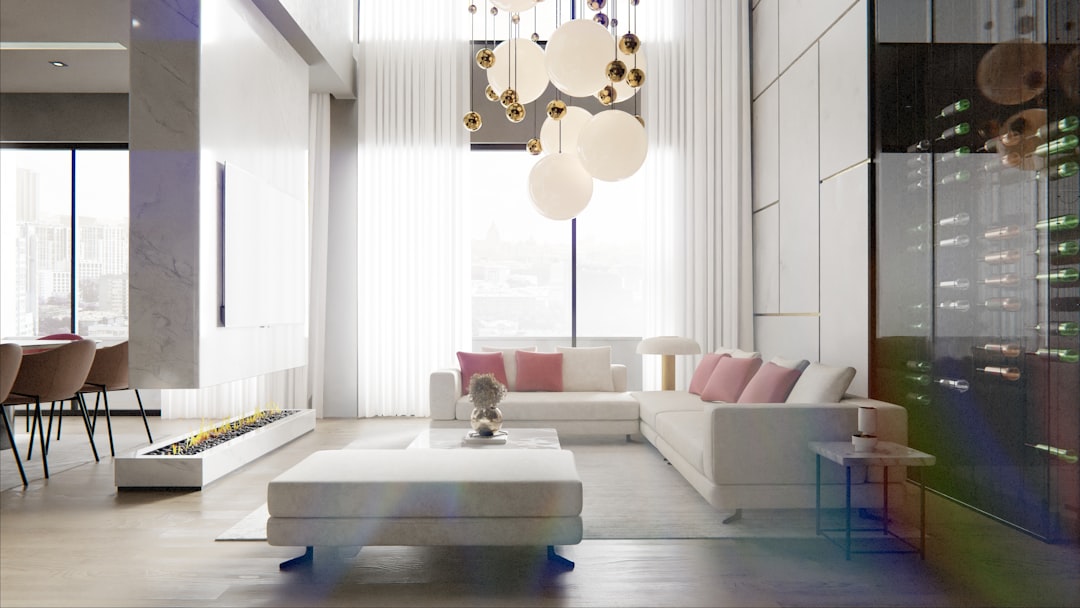
This structured progression enhances project discipline and ensures fewer disruptions during implementation.
Common Mistakes to Avoid
While interior design software offers powerful advantages, improper use can undermine its benefits.
- Neglecting Accurate Measurements: Always verify dimensions before modeling.
- Overcrowding Spaces: Digital flexibility can lead to unrealistic furniture density.
- Ignoring Structural Constraints: Not all conceptual changes are physically feasible.
- Relying Solely on Aesthetics: Functionality must guide design decisions.
Careful validation of digital plans against real-world limitations is essential for practical success.
The Future of Interior Design Software
Technological advancement continues to refine how we plan living spaces. Emerging innovations include:
- Artificial intelligence-assisted layout suggestions
- Virtual reality immersion for full spatial walkthroughs
- Augmented reality overlays within existing rooms
- Real-time energy consumption analysis
These improvements promise even greater precision and personalization. As AI becomes more integrated, users may receive automated recommendations based on style preferences, spatial limitations, and budget constraints.
Conclusion
Interior design software for home planning has transformed the way residential spaces are conceived and executed. By combining visual realism with technical precision, these platforms reduce uncertainty, manage costs, and foster informed decisions. Whether used by a homeowner experimenting with a new kitchen layout or a professional coordinating a full-scale renovation, the value lies in clarity and efficiency.
Home planning is both an art and a technical discipline. With reliable software, users no longer rely solely on imagination—they rely on measurable, visual proof. That combination of creativity and structure strengthens outcomes and ensures that design ambitions align with practical reality.