

Spreadsheets are powerful. But they are not always friendly. One wrong formula and everything breaks. One misplaced number and your totals look strange. If you feel stressed every time you open a complex spreadsheet, you are not alone. The good news? You do not need messy rows and endless columns to stay organized.
TLDR: You do not need complicated spreadsheets to manage your money. Simple accounting tools can track income, expenses, invoices, and reports in a clean and easy way. Many tools automate boring tasks and reduce errors. The right one can save time, lower stress, and help you understand your finances at a glance.
Today’s accounting tools are built for real people. Not just accountants. They are visual. They are automated. And many of them feel more like simple apps than financial software. Let’s explore the tools that make staying organized easy and maybe even fun.
Contents
Why Spreadsheets Feel So Overwhelming
Spreadsheets are flexible. That is great. But it also means:
- You have to build everything from scratch.
- You must remember formulas.
- You manually update numbers.
- Errors are easy to miss.
They work well for data experts. But for busy business owners, freelancers, and small teams? They can feel like homework you never wanted.
This is where modern accounting tools shine.
What Makes an Accounting Tool “Simple”?
A simple accounting tool does five things well:
- Tracks income and expenses automatically.
- Connects to your bank account.
- Creates invoices quickly.
- Generates reports in one click.
- Uses clean dashboards instead of raw numbers.
No complicated formulas. No endless scrolling. Just clear financial snapshots.

1. QuickBooks Online
QuickBooks is one of the most popular accounting tools. And for good reason.
It connects to your bank. It tracks spending. It categorizes transactions automatically. It even reminds you about unpaid invoices.
Why it is easier than spreadsheets:
- Automatic transaction imports.
- Visual profit and loss reports.
- Built in tax summaries.
- Simple invoice templates.
Instead of typing every expense, you just review and confirm. That saves hours every month.
It is great for small businesses that want something powerful but not complicated.
2. Xero
Xero is clean. Modern. And intuitive.
Its dashboard shows your bank balance, invoices, and bills in one place. No digging around.
Why people love it:
- Easy collaboration with accountants.
- Automatic bank feeds.
- Expense tracking through mobile app.
- Clear financial reports.
Xero feels less intimidating than a spreadsheet full of numbers. You see your business health instantly.
3. Wave
Wave is perfect for freelancers and very small businesses.
The best part? Many of its features are free.
What makes Wave simple:
- Free income and expense tracking.
- Unlimited invoicing.
- Receipt scanning.
- Basic financial reports.
If your bookkeeping needs are light, Wave removes the clutter. No complex setup required.
4. FreshBooks
FreshBooks was built with service businesses in mind.
It focuses heavily on invoicing and time tracking.
Why it works well:
- Very simple invoice creation.
- Automatic payment reminders.
- Time tracking for projects.
- Client friendly interface.
If you bill clients hourly, this tool can replace both spreadsheets and manual timers.
5. Zoho Books
Zoho Books is affordable and well organized.
It automates workflows and tracks compliance.
Helpful features include:
- Recurring invoices.
- Expense categorization.
- Inventory tracking.
- Clean reporting dashboard.
It is ideal for businesses planning to grow but still wanting simplicity.
Comparison Chart
| Tool | Best For | Ease of Use | Automation Level | Free Option |
|---|---|---|---|---|
| QuickBooks Online | Small to medium businesses | High | Very strong | No |
| Xero | Growing businesses | High | Strong | No |
| Wave | Freelancers | Very high | Moderate | Yes |
| FreshBooks | Service based businesses | Very high | Strong | No |
| Zoho Books | Budget conscious teams | High | Strong | Limited |
Features That Replace Complex Spreadsheets
Let’s look at what these tools do automatically that spreadsheets do not.
1. Bank Feeds
Your transactions import automatically.
No copying. No pasting. No data entry mistakes.
2. Smart Categorization
The software learns from your choices.
Buy office supplies once? It remembers next time.
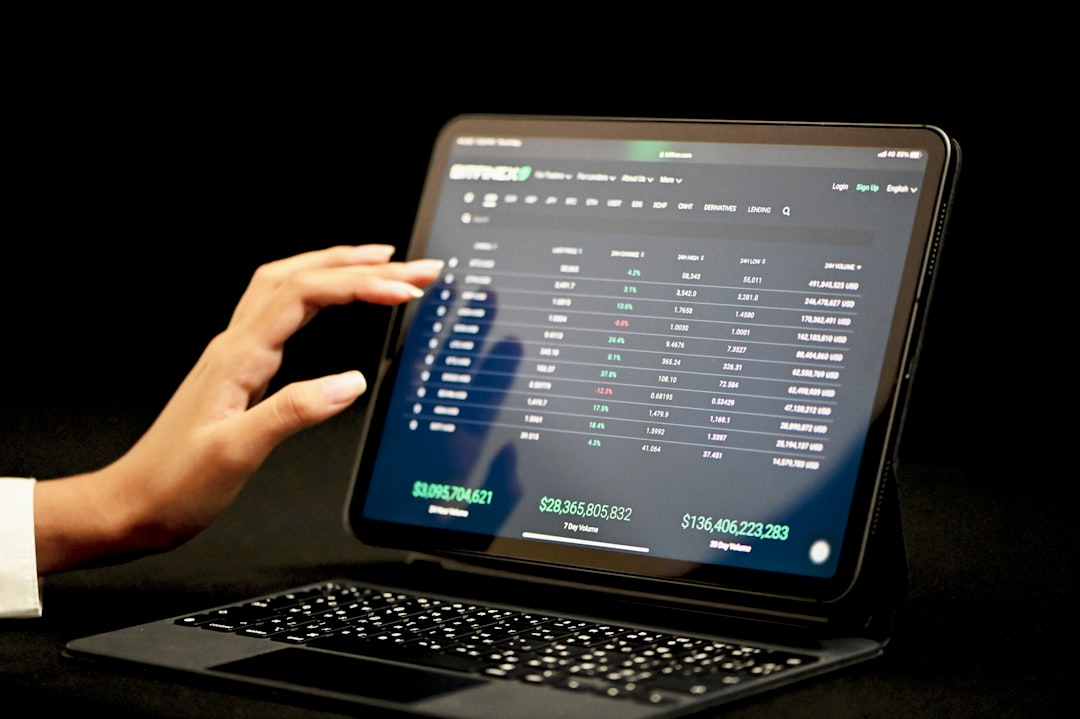
3. Real Time Reports
Instead of building formulas, you click a button.
You instantly see:
- Profit and loss statements.
- Cash flow reports.
- Expense breakdowns.
- Tax summaries.
4. Invoice Automation
Create. Send. Track. Done.
The system tells you who paid and who did not.
5. Receipt Scanning
Take a photo of your receipt.
The app extracts the data.
No shoebox required anymore.
How to Choose the Right Tool
Start simple. Ask yourself:
- How many transactions do I have monthly?
- Do I need inventory tracking?
- Do I send many invoices?
- Do I work with an accountant?
If you are a solo freelancer, Wave or FreshBooks might be enough.
If you run a growing business, QuickBooks or Xero might fit better.
The best tool is the one you actually use consistently.
Tips to Stay Organized Without Spreadsheets
Even with software, habits matter.
1. Review Transactions Weekly
Do not wait until tax time.
Five minutes every week saves hours later.
2. Separate Business and Personal Finances
Use a dedicated business account.
This keeps reports clean and clear.
3. Automate Recurring Tasks
Set up recurring invoices.
Schedule recurring expense entries.
Let the software do the work.
4. Use the Dashboard Daily
Treat your dashboard like a business health monitor.
Just glance at it regularly.
Image not found in postmetaThe Real Benefit: Peace of Mind
Organization is not just about numbers.
It is about feeling in control.
When you know exactly:
- How much you earned.
- What you spent.
- What you owe.
- What clients owe you.
You make better decisions.
You sleep better at night.
Complicated spreadsheets often create confusion. Simple accounting tools reduce it.
Final Thoughts
You do not need to be a math expert to manage your finances.
You do not need giant spreadsheets with color coded tabs.
Modern accounting tools are designed for ease. They automate repetitive work. They reduce errors. They give you clear visuals instead of raw data.
Start small. Test one tool. Explore its dashboard. Send one invoice. Connect one bank account.
Soon, you will wonder why you ever tried to manage everything manually.
Finance does not have to be scary. Or boring. Or overwhelming.
With the right tools, staying organized is simple. And maybe even satisfying.