

You are cleaning your PC. You open the programs list. Then you see something called VulkanRT. It sounds technical. Maybe even suspicious. You might ask yourself, “Did I install this?” or “Is this a virus?” Don’t worry. You are not alone. Many people ask the same question.
Good news: VulkanRT is usually completely safe. In fact, it is often important for gaming and graphics performance. Let’s break it down in a simple and fun way so you fully understand what it is and whether you should keep it on your computer.
TL;DR: VulkanRT is a graphics tool used by games and some applications to run smoothly on your PC. It is not a virus and is usually installed with graphics drivers or games. Most users should keep it installed, especially gamers. Removing it may cause certain games or software to stop working properly.
Contents
What Is VulkanRT?
VulkanRT stands for Vulkan Runtime Libraries. That sounds complicated. But the idea is simple.
It is a graphics API. An API is like a middleman. It helps software talk to your computer’s hardware. In this case, it helps games talk to your graphics card (GPU).
Think of Vulkan as a translator. A game says, “Hey, draw this character!” Vulkan translates that request into instructions your graphics card understands.

Without something like Vulkan, your game would struggle to communicate with your hardware. That means:
- Lower performance
- More lag
- Crashes
- Reduced graphics quality
Vulkan helps solve those problems.
Who Created Vulkan?
Vulkan was created by the Khronos Group. This is a well-known technology consortium. Many big companies are members, including:
- Intel
- NVIDIA
- AMD
- Qualcomm
This is not some random unknown developer. It is backed by major industry leaders.
That is a strong sign it is legitimate and safe.
Why Is VulkanRT on My PC?
Here is the interesting part.
You usually do not install Vulkan yourself. It gets installed automatically when you:
- Update your graphics card drivers
- Install certain video games
- Install 3D software
For example, if you installed a new NVIDIA or AMD driver, Vulkan may have been included in that package.
Many modern games use Vulkan because it offers:
- Better performance
- Lower CPU usage
- Improved multi-core support
- Smoother frame rates
So if you play games, especially newer ones, VulkanRT is probably there for a good reason.
Is VulkanRT a Virus?
This is the big question.
No, VulkanRT is not a virus.
It does not spy on you. It does not mine crypto. It does not secretly install malware.
However, there is a small exception.
Sometimes malware can pretend to be legitimate software. That is rare with Vulkan, but technically possible.
Here is how to check if yours is real:
- Go to Control Panel → Programs and Features
- Find Vulkan Runtime Libraries
- Right-click and check the file location
If it is located in a standard Program Files folder and connected to your GPU driver, you are fine.
If it is in some strange random folder with a weird name, then you should scan your PC with antivirus software.
How Does Vulkan Compare to DirectX?
You may have heard of DirectX. That is Microsoft’s graphics API.
Vulkan is similar. But there are some differences.
| Feature | Vulkan | DirectX |
|---|---|---|
| Developer | Khronos Group | Microsoft |
| Platform Support | Windows, Linux, Android | Mainly Windows, Xbox |
| Performance Control | Low-level, high control | Slightly more automated |
| CPU Usage | Generally lower | Can be higher |
| Used In | Doom, Red Dead Redemption 2, Dota 2 | Most Windows-based games |
Both are good. Neither is “better” in every situation. Game developers choose based on their needs.
Do You Need VulkanRT?
It depends.
If you are a gamer: Yes. Keep it. Some games require it.
If you use 3D software: Yes. It might improve performance.
If you only browse the web and write emails: You probably do not actively use it. But it also does not hurt to keep it.
The important thing to know is this:
VulkanRT does not slow down your PC just by being installed.
It only works when an application calls it.
What Happens If You Uninstall VulkanRT?
You can uninstall it. Windows allows that.
But here is what may happen:
- Some games may not launch
- Some games may switch to DirectX instead
- You could experience lower performance
- You may see error messages
Worst case? You reinstall your graphics drivers. That usually brings Vulkan back.
So uninstalling is not dangerous. But it may be inconvenient.
Does Vulkan Improve FPS?
Sometimes yes. Sometimes no.
Vulkan is designed to give developers more control over hardware. That can mean:
- Higher FPS
- Less CPU bottleneck
- Better performance on multi-core processors
In games like Doom (2016), Vulkan showed clear performance benefits compared to older APIs.
But not every game is optimized perfectly. Performance depends on the developer.
Does Vulkan Work on All Graphics Cards?
Most modern graphics cards support Vulkan.
This includes:
- NVIDIA GPUs (GTX 600 series and newer)
- AMD GPUs (GCN architecture and newer)
- Intel integrated graphics (newer versions)
If your system installed Vulkan automatically, your hardware probably supports it.
Is Vulkan Only for Windows?
No. That is one of its biggest strengths.
Vulkan works on:
- Windows
- Linux
- Android
This makes it popular with developers who want cross-platform support.
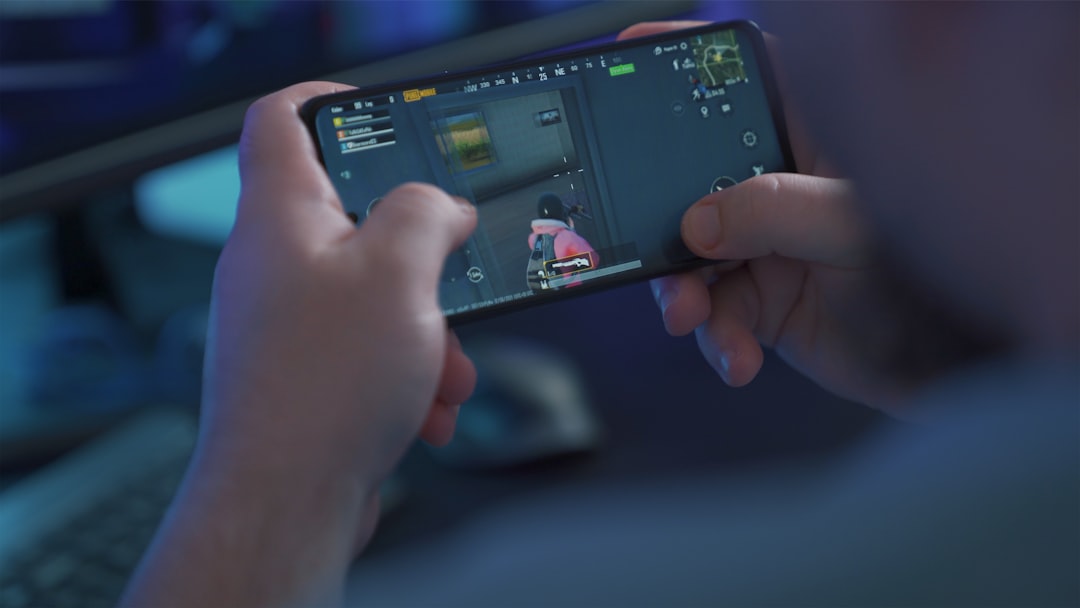
For example, many Android games use Vulkan to improve graphics performance on smartphones.
Does Vulkan Use the Internet?
No.
By itself, Vulkan does not connect to the internet.
It is not a background service constantly running. It simply provides instructions when software needs it.
So there is no privacy risk just from having Vulkan installed.
How Big Is VulkanRT?
Another common concern is storage space.
Vulkan Runtime Libraries usually take up:
Less than 100 MB.
That is tiny by modern standards. Many games are over 50 GB today.
So space is not really an issue.
When Should You Remove VulkanRT?
There are only a few rare situations where removal makes sense:
- You are troubleshooting a specific software conflict
- You suspect a corrupted installation
- You never play games and want a minimal system
Even then, it is optional.
And remember. Reinstalling GPU drivers usually restores it.
The Final Verdict: Should You Keep It?
For most people, the answer is simple.
Yes, keep VulkanRT installed.
It is:
- Legitimate
- Safe
- Small in size
- Useful for gaming
- Installed by trusted companies
It does not harm your system. It does not slow down your PC. It sits quietly until needed.
If you are a gamer, it is especially important. Many modern titles rely on it for best performance.
Quick Recap
- VulkanRT stands for Vulkan Runtime Libraries.
- It helps games communicate with your graphics card.
- It is developed by the trusted Khronos Group.
- It is not a virus.
- It is safe to keep installed.
- Removing it may cause some games to stop working.
Next time you see VulkanRT in your installed programs list, you will know exactly what it is.
Not a mystery. Not malware. Just a powerful graphics tool doing its job quietly in the background.
And now you can clean your PC with confidence.